Case study
-Filling replacement shifts, from posting to signed contract
ClemCo Digital connects establishments, healthcare facilities in particular, with temporary workers. The platform covers the whole journey: post a shift, find the right profile, get the contract signed and declare the hire, on the web and on mobile.
- ×38
- subscribing establishments in 15 months
- ×2.4
- shifts per month, in one year
- ×4
- temporary workers signed up in 15 months
- Zero paper
- from choosing the candidate to the signed contract
A similar need? You'll know in 2 minutes, no commitment.
- Client
- ClemCo Digital
 Groupe Samsic
- Type of application
- Web and mobile application
The starting point
ClemCo Digital supports establishments, mainly in healthcare, with their short- and long-term replacement needs.
A replacement is a chain of tasks: find a qualified, available candidate, prepare the contract, get it signed, declare the hire, then track the days worked. Done by hand, these steps take time and let errors slip through.
ClemCo wanted a single platform for its clients, its temporary workers and its partner agencies, able to keep up with the growth of its business.
Why bespoke software?
ClemCo's business brings several worlds together: the establishment that recruits, the temporary worker on their phone, the temping agency that puts forward a profile, and the administration with its mandatory declarations. No off-the-shelf software brought them together.
Each establishment has its own contract templates, time codes and rates. The platform had to adapt to them.
ClemCo also needed an organisation by region, with managers who only see their own area.
What we built
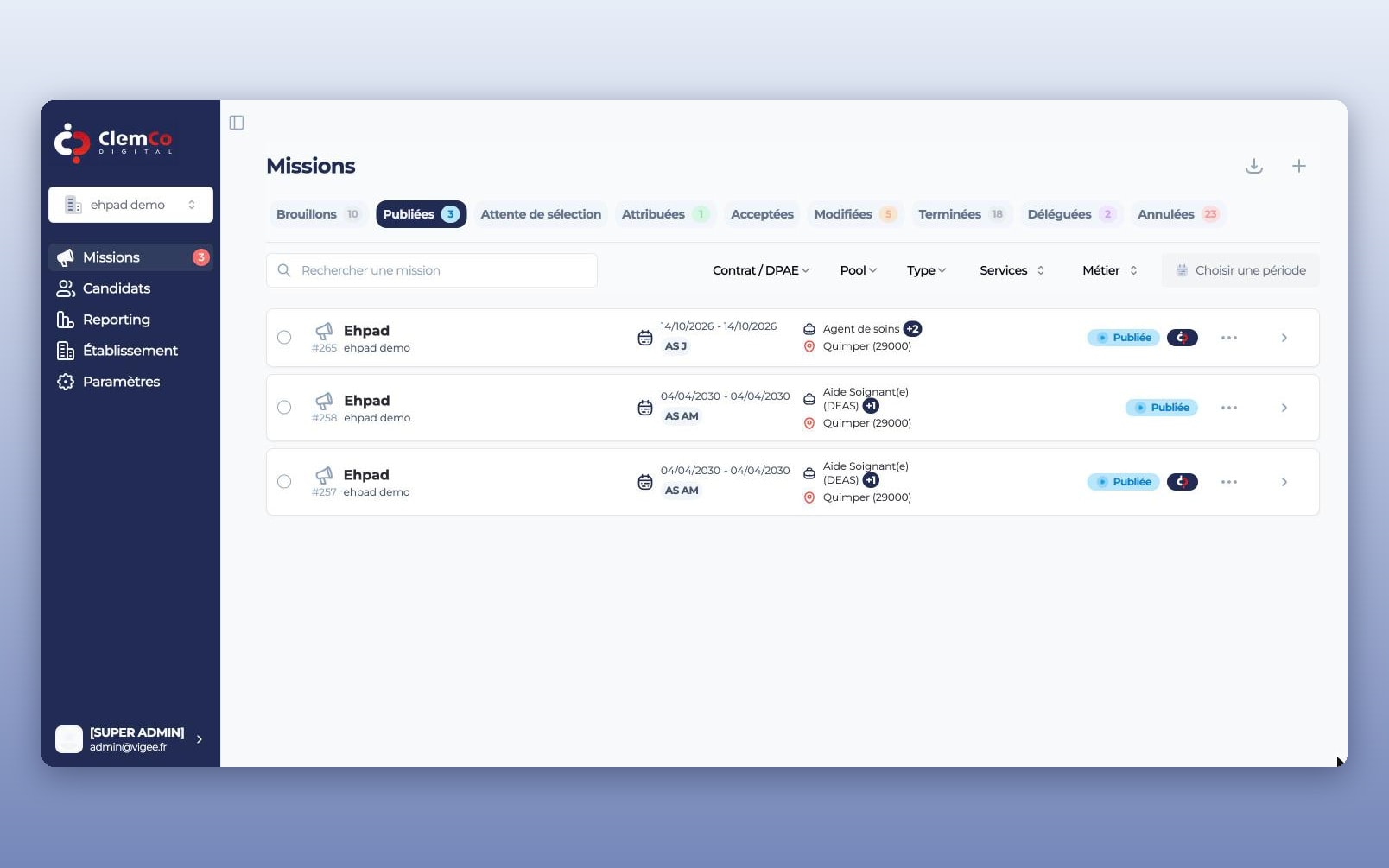
The establishment posts a shift in a few seconds, duplicates it or manages several at once. It first offers it to its internal pool or to the ClemCo pool; if it is not filled, it delegates it to a temping agency, which puts forward a candidate through a simple link.
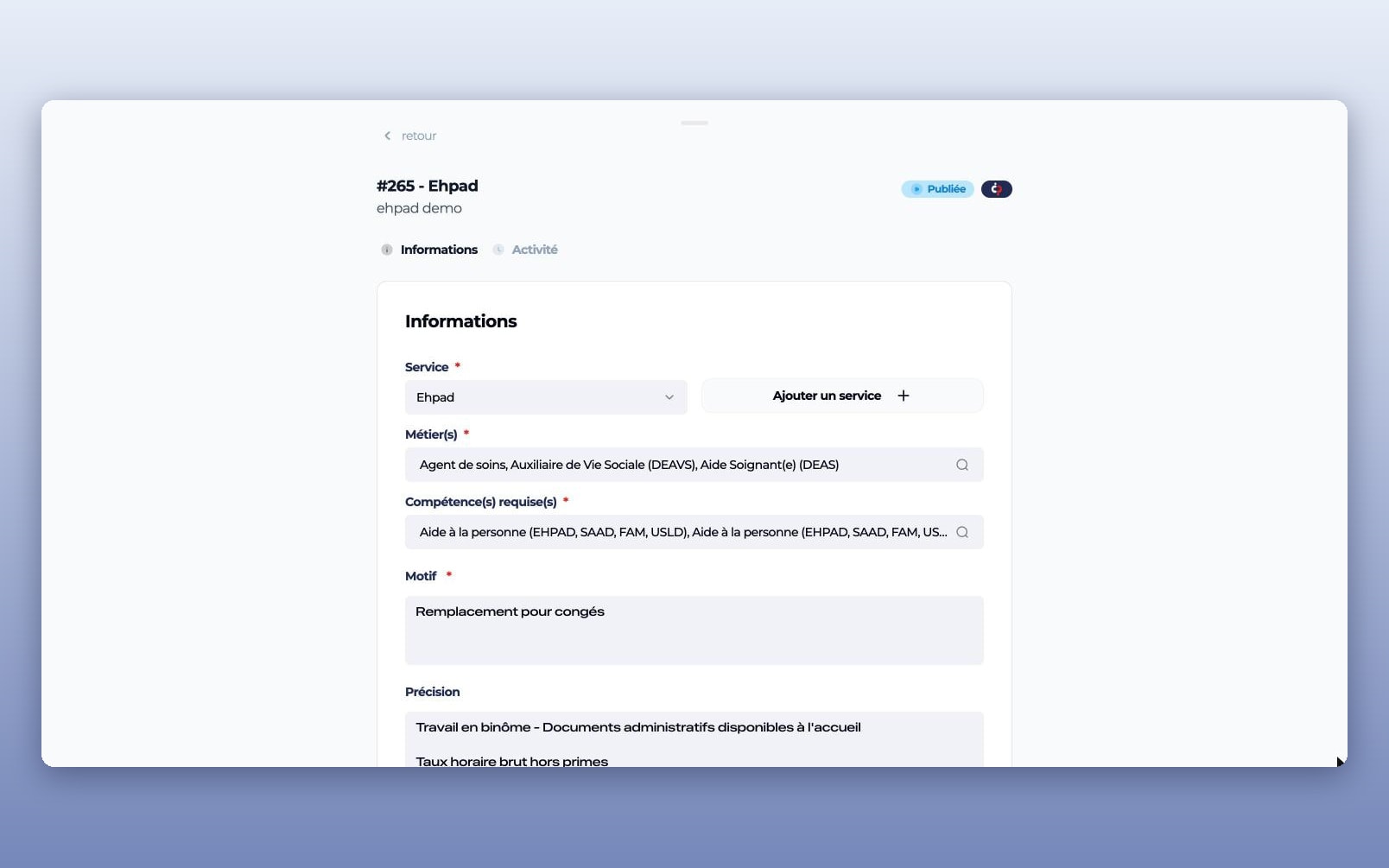
Once the candidate is chosen, the contract is generated from the establishment's template and signed electronically. The pre-employment declaration is prepared and sent automatically to URSSAF, the French social security body.
Temporary workers manage everything from the mobile app, on iPhone and Android: they check shifts, set their availability, join establishments, upload their documents as photos and receive notifications. They can also be alerted by text message.
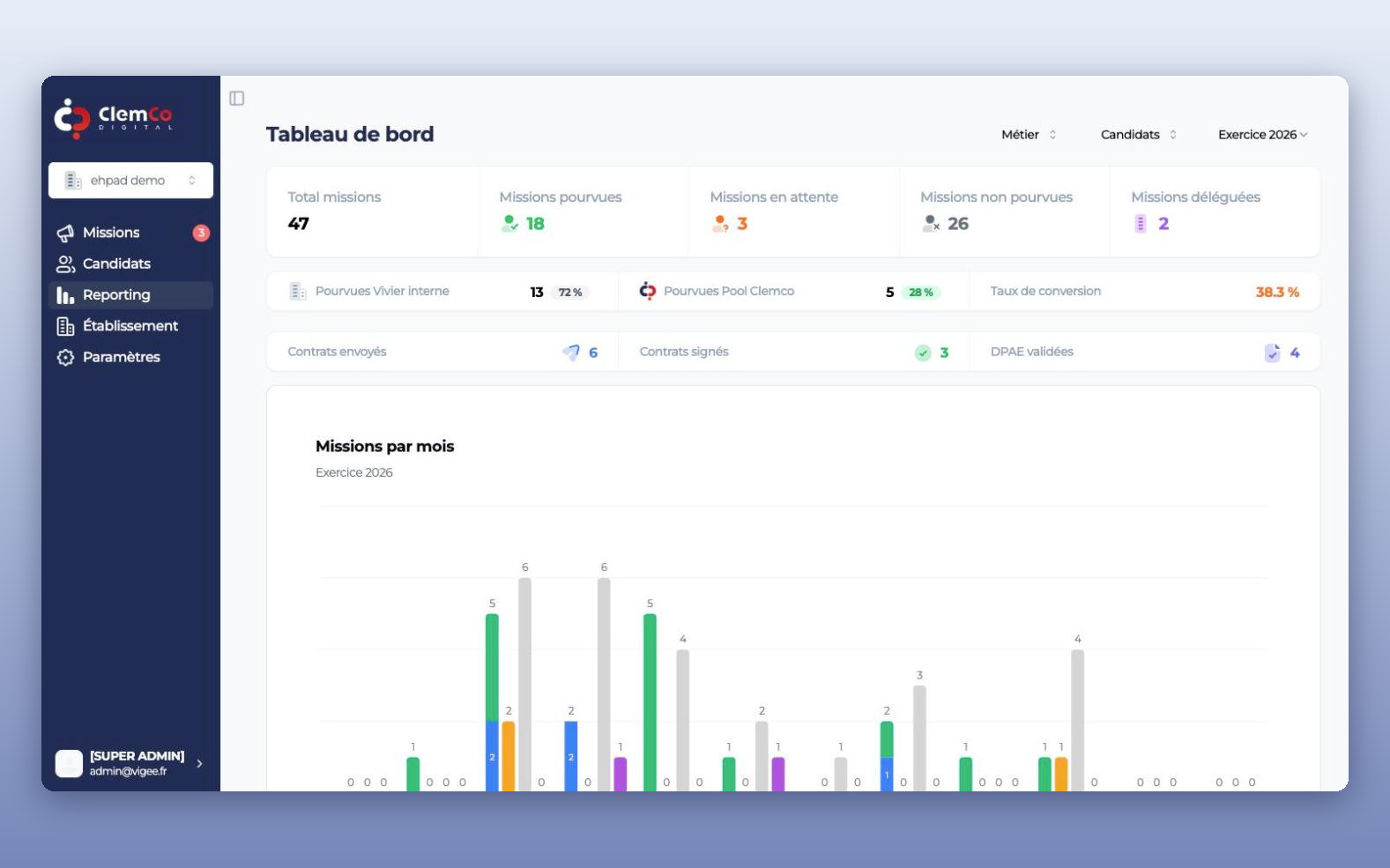
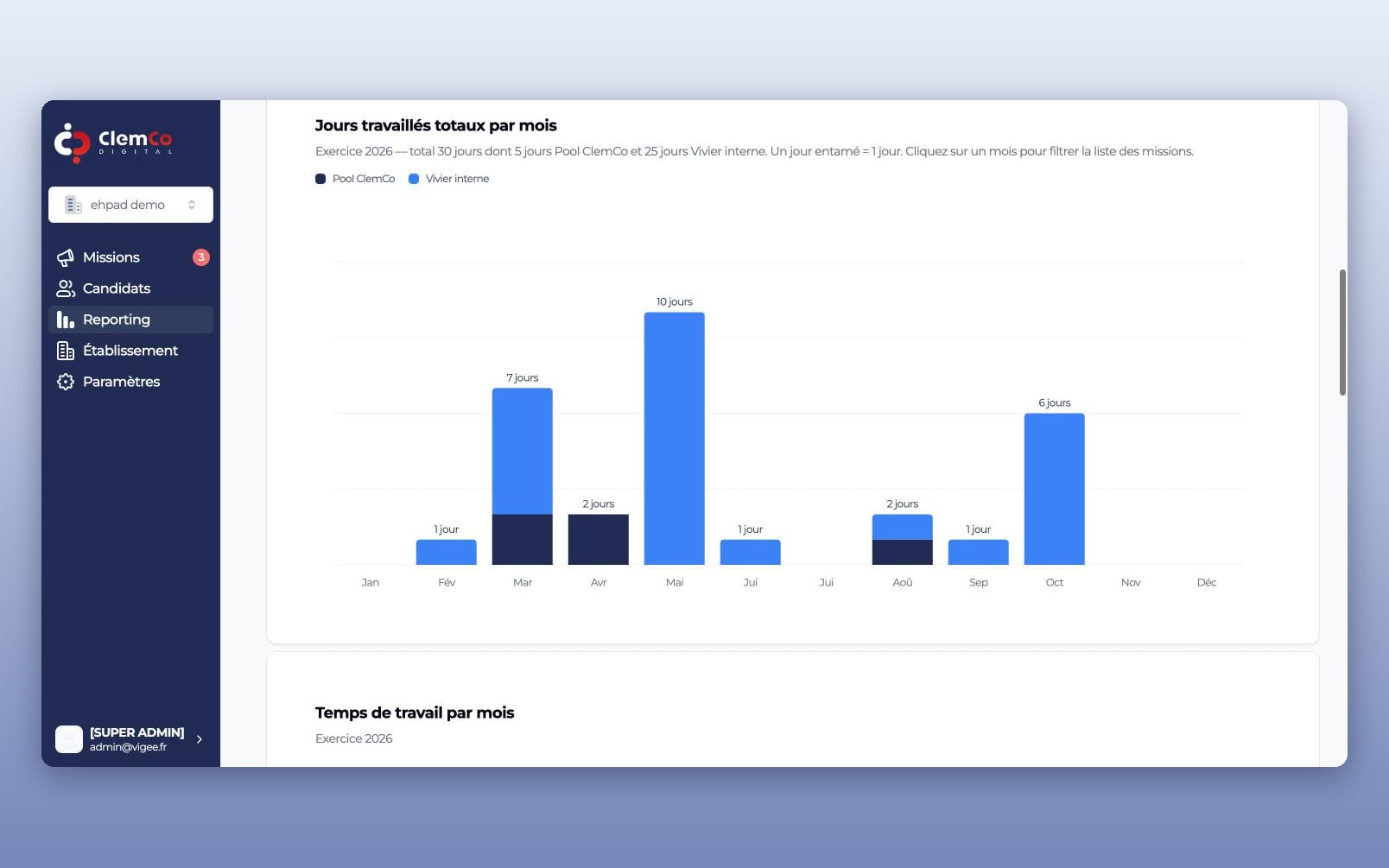
Reporting tracks filled, delegated and unfilled shifts, contracts sent and signed, validated declarations, days worked and the breakdown by region, distinguishing the ClemCo pool from each establishment's internal pool.
Four profiles share the platform: the ClemCo team, regional managers, establishment managers and temporary workers. Each one only sees what concerns them.
A simple experience
Every screen was designed for the people who use it every day, with no training.
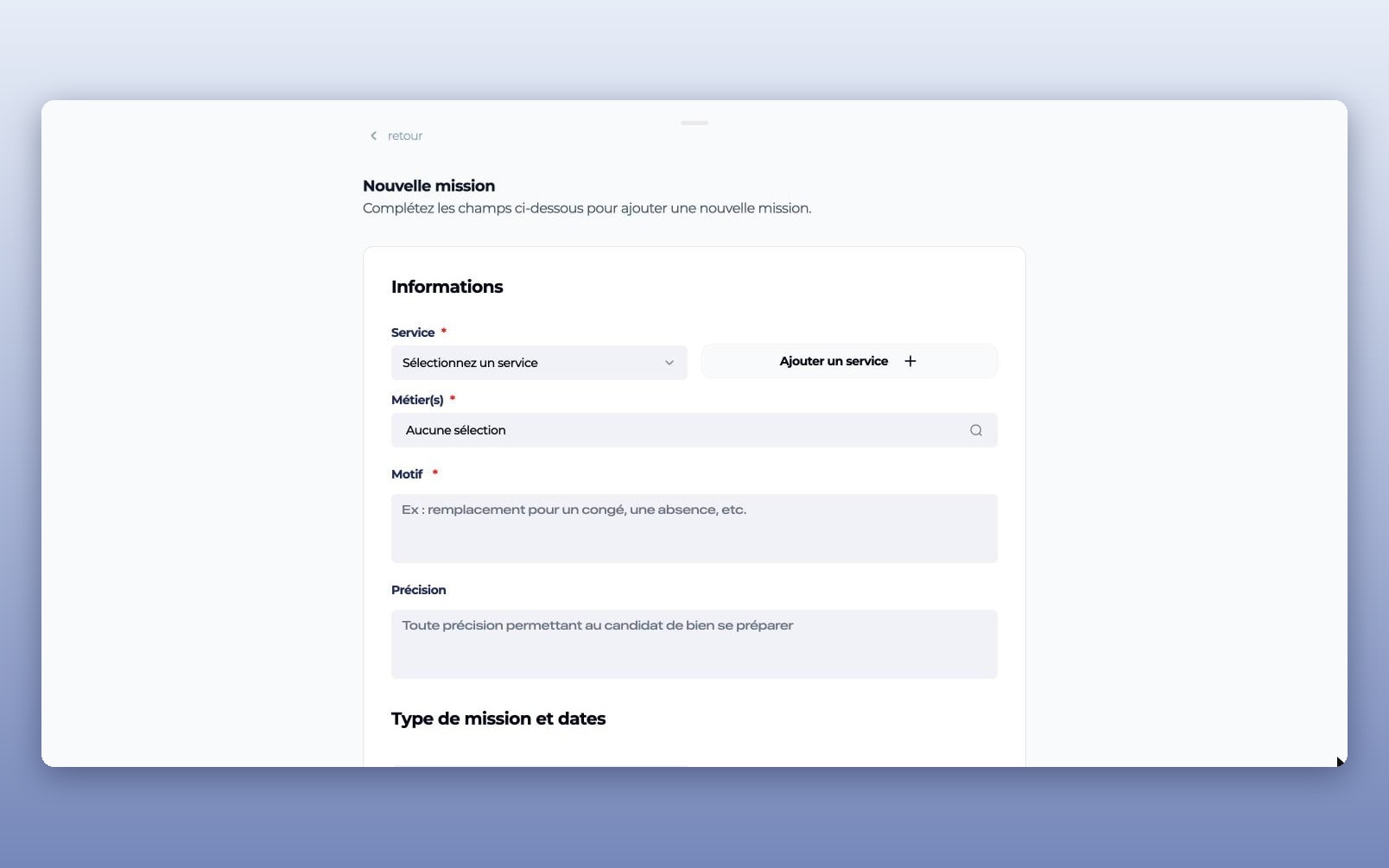
- Posting a shift takes one form: department, job, reason, dates.
- A recurring shift can be duplicated, and several shifts can be handled at once.
- Statuses speak for themselves: draft, posted, assigned, completed, delegated.
- Temporary workers do everything from their phone: availability, documents as photos, notifications.
Application previews
What changed day to day
- Establishments, temporary workers and partner agencies work in the same tool
- The contract and the pre-employment declaration go out with no re-keying
- An unfilled shift can be handed to a temping agency through a simple link
- Management tracks filled, delegated and unfilled shifts, month by month
- The ClemCo pool and each establishment's internal pool are clearly told apart
- Each regional manager only sees their own area
What the tool does
- Posting and tracking shifts
- Internal pool and ClemCo pool
- Delegation to temping agencies
- Temporary workers' profiles, documents and availability
- Contract templates per establishment
- Electronic signature of contracts
- Automatic pre-employment declaration
- Notifications and text messages to temporary workers
- Reporting by region and by establishment
- iPhone and Android mobile app
Frequently asked questions
How does a healthcare facility post a replacement shift?
It fills in the department, the job required, the reason and the dates. The shift is then offered to its internal pool or to the ClemCo pool, and tracked until it is closed.
What happens if no temporary worker is available?
The shift can be delegated to a partner temping agency. The agency receives a link and puts forward a candidate directly, with no account to create.
Are the contract and the pre-employment declaration handled in the platform?
Yes. The contract is generated from the establishment's template and signed electronically, then the pre-employment declaration is sent automatically to URSSAF.
Do temporary workers have a mobile app?
Yes, the ClemCo Digital app is available on iPhone and Android: shifts, availability, documents and notifications.
For your industry
Project building blocks
- Web application
- iOS and Android mobile app
- Electronic signature
- URSSAF declaration