Case study
-Putting together a restaurant's drinks list and sending it over, in a few clicks
With Winemap, the sales reps of Groupe Mat, a drinks distributor, put together a priced selection for each café, hotel or restaurant, then generate its drinks list, product sheets and table tent card as PDFs, ready to send.
- 1 click
- from the selection to a list ready to send
- 0 layout work
- polished materials, without spending time on them
- 3 in 1
- list, product sheets and table tent card from the same selection
A similar need? You'll know in 2 minutes, no commitment.
- Client
- Groupe Mat
- Type of application
- Web application
The starting point
Groupe Mat distributes drinks to restaurants and hotels: wines, beers, spirits, ciders, soft drinks and hot drinks.
For each customer, the sales rep puts together a selection, organises it by category, prices it, then prepares the drinks list and the sales materials.
Groupe Mat wanted to bring all these steps together in a single tool, designed for its sales reps.
Why bespoke software?
The products already live in the group's central catalogue: the tool had to connect to it directly, photos included, rather than re-keying everything.
Pricing follows the group's commercial rules. The tool had to apply them on its own, so the sales rep does not have to think about them.
The materials had to reflect the image of the group and of the restaurant, with several styles to choose from.
What we built
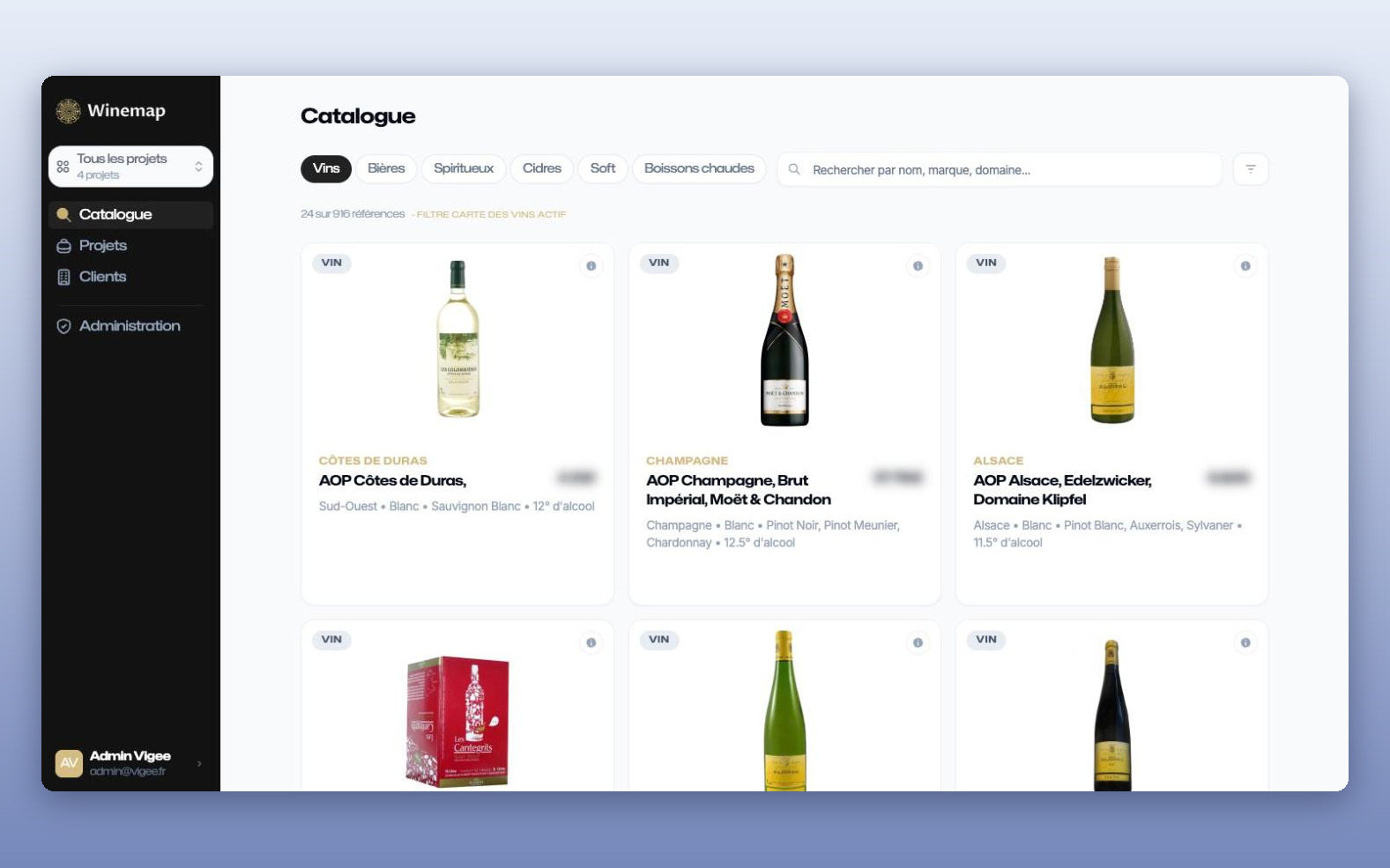
The sales rep creates their customer, with an address entered automatically, then opens a project. They choose products from the group's catalogue, filtered by region, appellation, grape variety or price, and arrange them into sections.
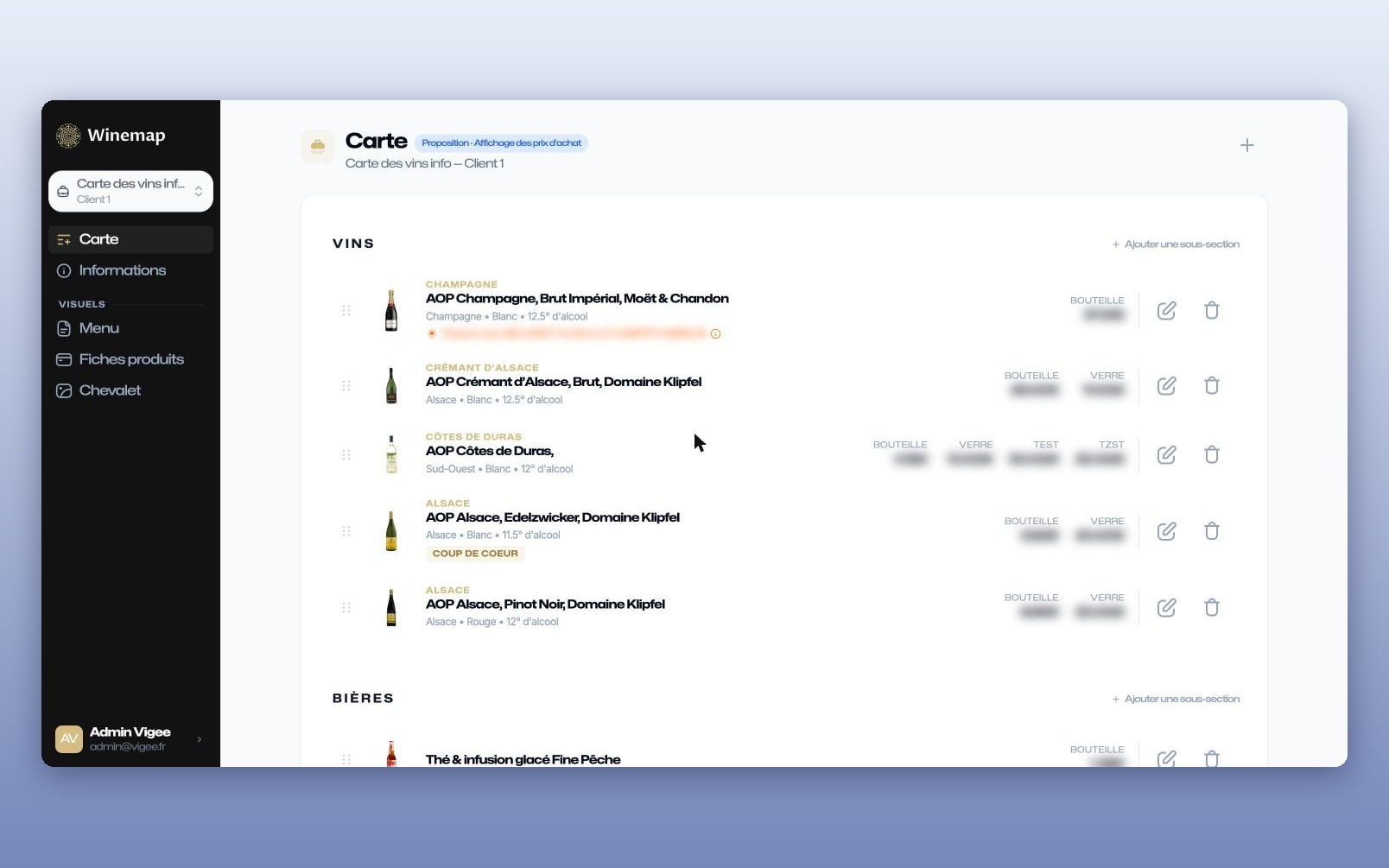
They enter volumes and prices, and the tool makes sure the commercial rules are respected. The project starts as a priced proposal, then, once validated, becomes the list with the customer's selling prices.
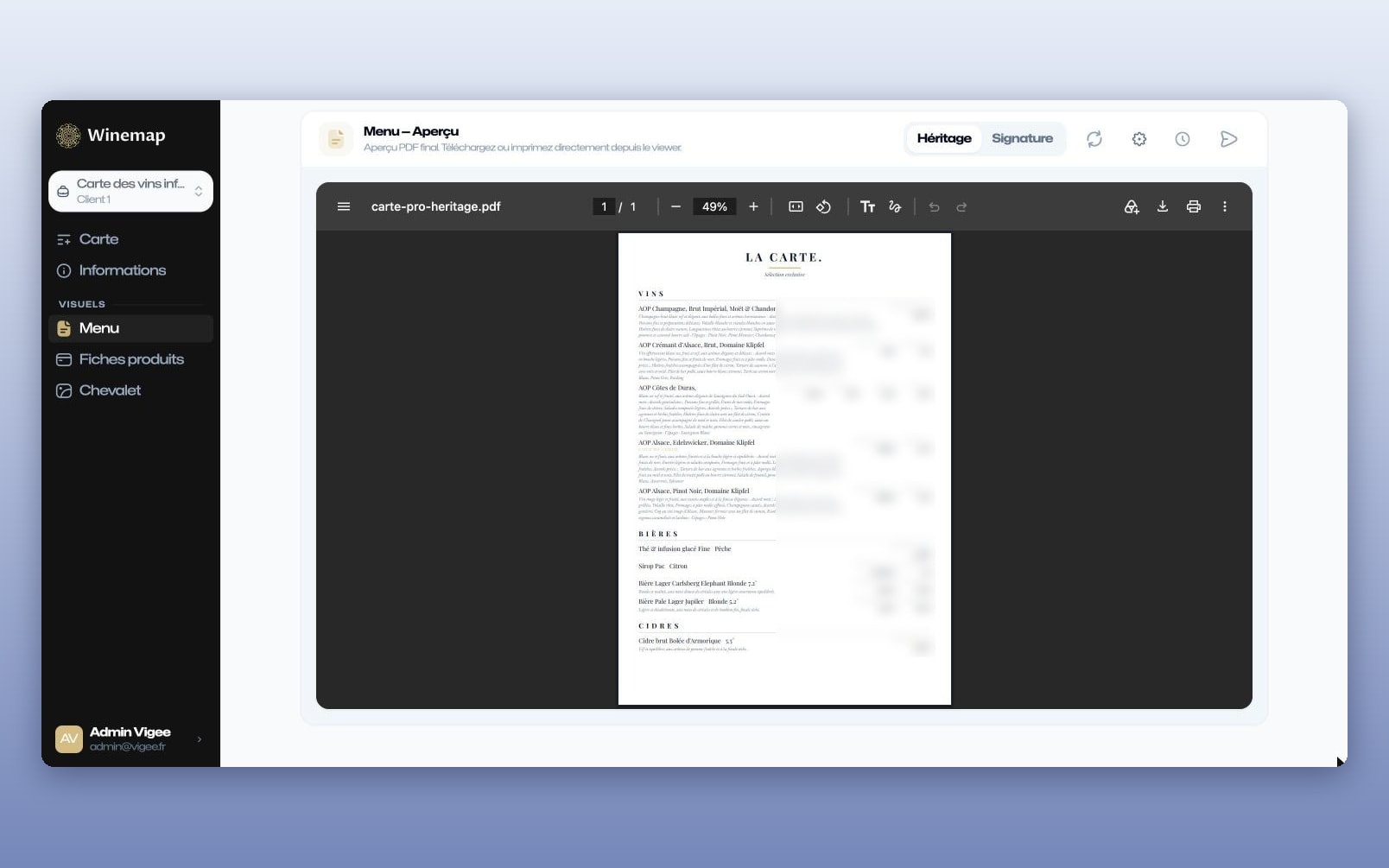
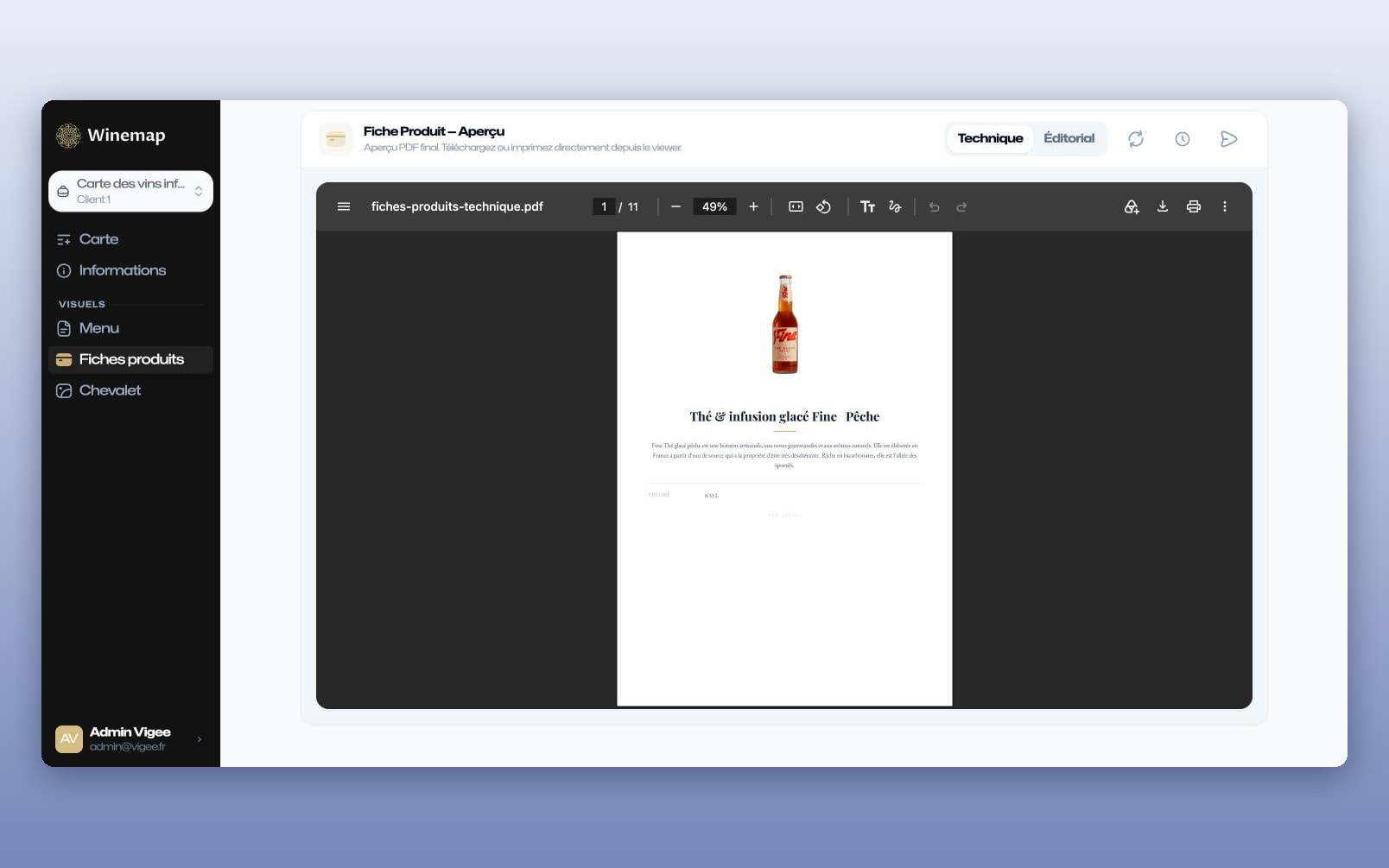
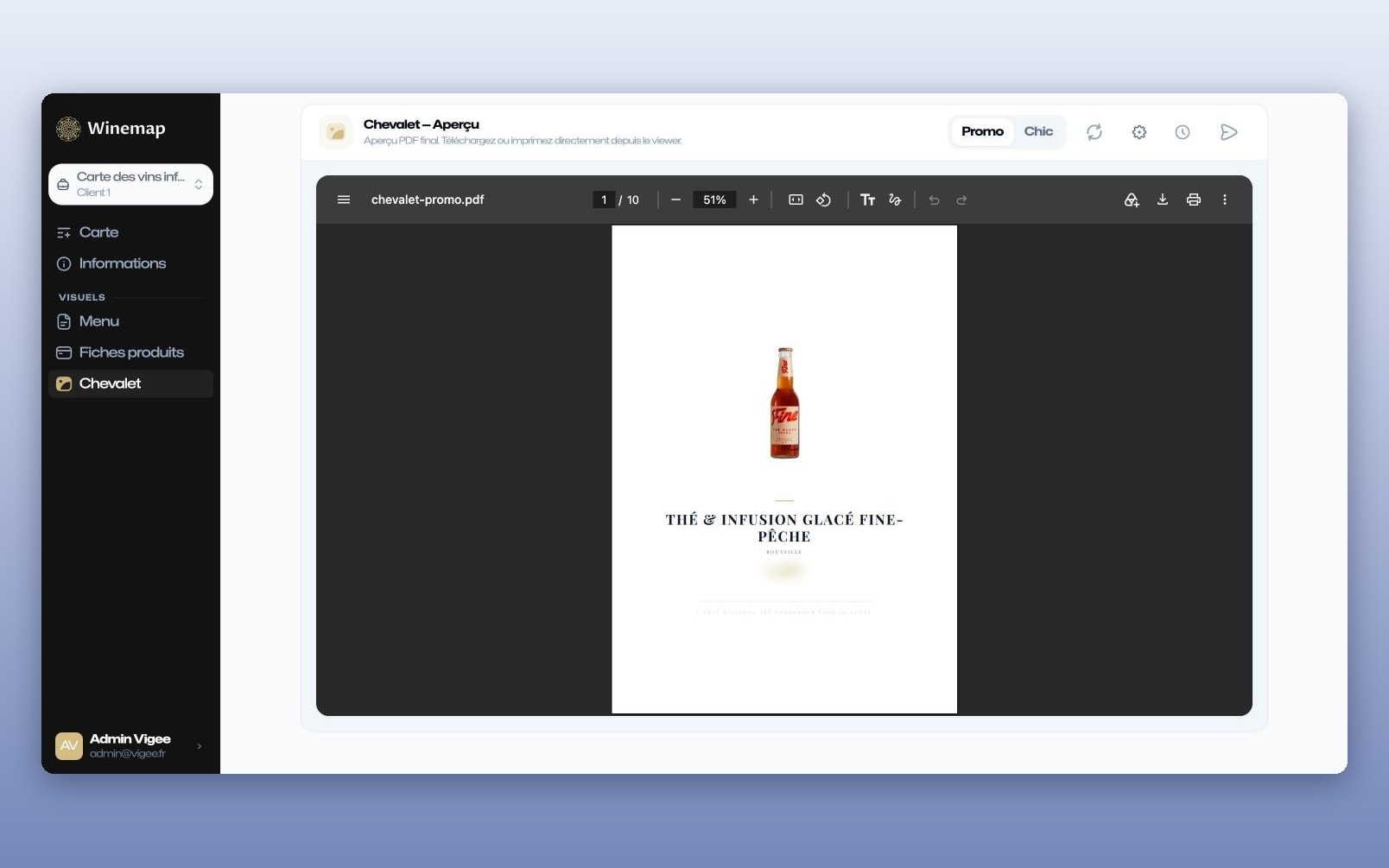
In one click, Winemap generates the drinks list, a sheet per product and a table tent card, each in several styles. The sales rep chooses the information shown, then sends the materials to the customer by email.
Administration manages users and product families. Data for customers inactive for three years is purged automatically.
A simple experience
Every screen was designed for the people who use it every day, with no training.
- The catalogue can be filtered by family, region, appellation, grape variety or price.
- The selection is arranged in sections and reorganised by simple drag and drop.
- One click generates the list, the product sheets or the table tent card, in the chosen style.
- The materials go to the customer straight from the tool.
Application previews
What changed day to day
- The sales rep goes from the visit to the sales materials without changing tools
- Consistent materials, in the group's image, whichever sales rep makes them
- Each project can be reopened and updated instead of starting from scratch
- The group's commercial rules are applied without having to think about them
- Every send is logged in the project's activity feed
What the tool does
- Product catalogue connected to the group's master data
- Customer records with assisted address entry
- Projects per customer, from quote to approved list
- Drinks list as PDF
- Product sheets as PDF
- Table tent card as PDF
- Sending materials by email
- Activity feed for each project
Frequently asked questions
How do you generate a drinks list for a restaurant?
The sales rep selects the products from the catalogue, arranges them in sections, then generates the list as a PDF in the style of their choice, ready to send.
Can the sales rep pick up a proposal that has already been sent?
Yes. Each project can be reopened and updated: the list, the sheets and the table tent card are regenerated in one click with the changes.
What sales materials does the tool produce?
The drinks list, a sheet per product and a table tent card, each offered in several styles.
For your industry
Project building blocks
- Web application
- Connection to the group's product catalogue
- PDF generation